Lifeable is a life organizer app.
It keeps the facts of your personal life — what you have to do, what you spend, what's due, whose birthday is next, where you're going, what you own — in one place, and shows you what matters today. On the web and on Android.

What a life organizer app is
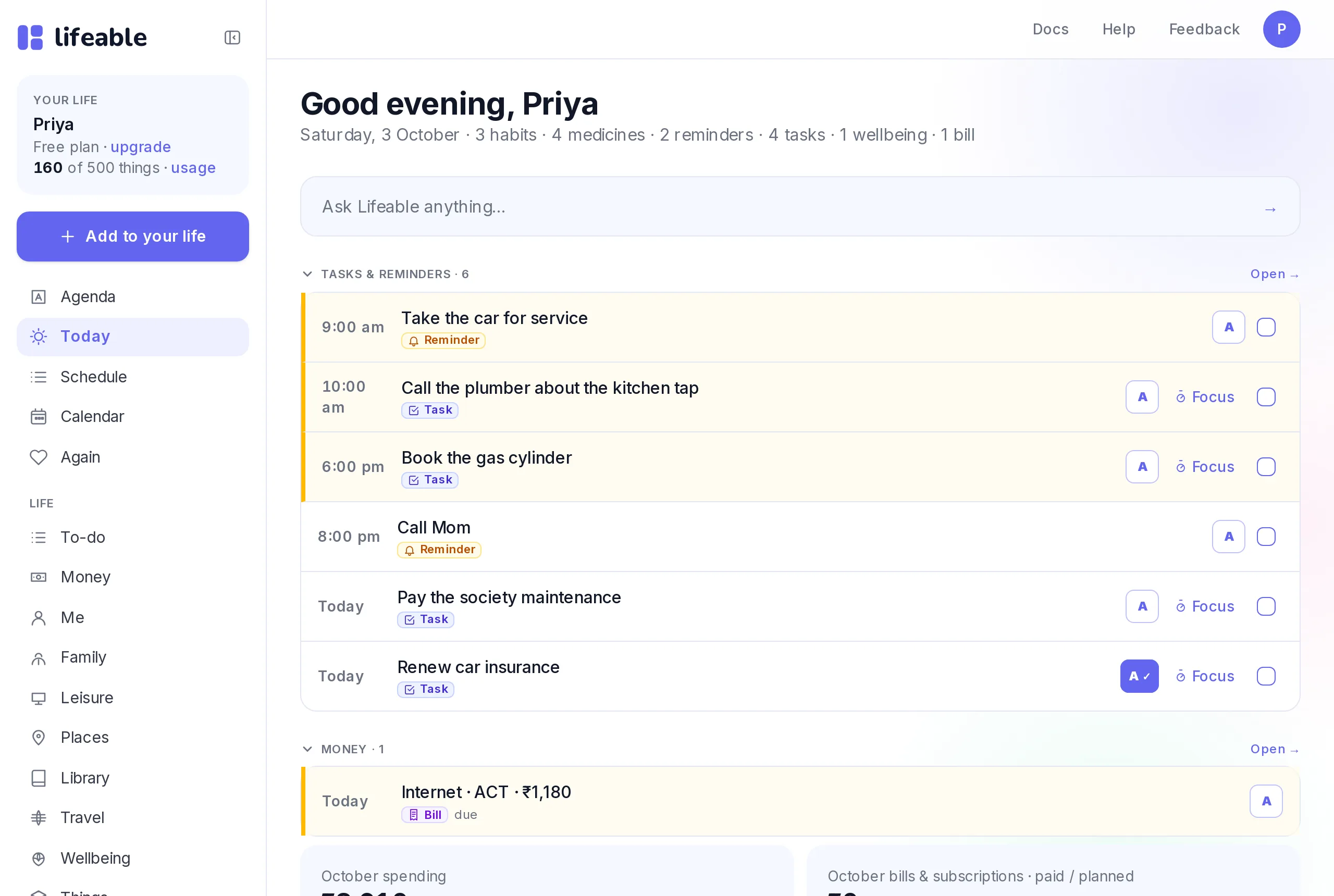
A to-do app holds tasks. A budgeting app holds money. A calendar holds dates. A life organizer app holds all of it, so one page can tell you what today needs — the task at 10, the bill due Friday, the birthday on Sunday, the medicine at 9 — without you opening five apps and remembering the rest.
That's the whole idea of Lifeable: one organized record of your life, and a Today page, a Schedule and a Calendar that read across all of it.
What Lifeable keeps
Tasks with a day, a time, a priority and a repeat; reminders by email; a focus timer for one task at a time.
Expenses in your own currency, monthly budgets, bills and subscriptions with due dates and a paid/planned state.
Habits with streaks, medicines on their times, health logs, goals with milestones, appointments.
Birthdays, anniversaries, festivals, school and health dates — each with a plan.
Trips with an itinerary; places you want to remember, with a pin and a note.
What you own and its warranty; who's who; links to read later; what to watch or read; a few minutes of calm.
What makes it one app, not eleven
Everything due today, from every area, in time order. Headings appear only when there's something under them.
What was missed, then what's coming in the next 30, 90 or 180 days.
Day, week, month and year — tasks, bills, occasions, trips, warranties and appointments on one grid.
Type a question — what's due, what you spent, what's next — and get an answer from your own data.
Connect Claude or ChatGPT and say "electricity bill 2,400 on the 20th" — it's filed. Optional, and only with the switches you turn on.
A bill, an occasion, a reminder — in your inbox when it's time, plus a morning summary.
What it isn't
Lifeable isn't a notes app, a file store or a work tool. It keeps facts, not documents, and it's for your personal life, not your projects. If you need a deep task manager for a team, a dedicated app goes further in that one area — see the honest comparison.
Questions
- Is Lifeable free?
- Yes. The free plan includes every area, 500 saved items and 3 months of history. Lifeable Plus adds more room and history for $9 a month (₹799 in India).
- Is there an Android app?
- Yes — Lifeable is on Google Play. Sign in with the same account you use on the web and everything is there.
- Does it work on iPhone?
- The web app works in Safari on iPhone today. An App Store app is coming.
- Do I have to connect an AI?
- No. Everything works by hand. Connecting Claude or ChatGPT is optional.
- Is my data private?
- Yes. Lifeable never sells your data and never trains AI on it. You can export everything in one click and delete your account in one click.
- How is this different from a daily planner?
- A daily planner shows your day. Lifeable's Today page is a daily planner — but the bills, birthdays and habits on it come from the same place, so nothing has to be typed twice.